






Let's talk
about training
Aneta Jandziś
516 824 029
aj@securitum.pl
Szkolenie Securitum Cyber AwarenessSzkolenie z bezpieczeństwa IT dla pracowników biurowych

Agenda

You can compose our training from any of the modules available below. If you have any questions, we will gladly advise the most frequently chosen modules (mail to: szkolenia@securitum.pl).

01.
OVERVIEW OF RECENT POPULAR ATTACKS ON BUSINESSES / EMPLOYEES - CASE STUDIES  60 Minutes Expand
  • Attacks on the "additional fee" to the auction / shipment - resulting in the entire bank account being cleared.
  • How do criminals pretend to be a bank / other organizations hotlines - and is it detectable?
  • The story of a Polish company that lost money as a result of taking over access to its e-mail box.
  • How can you lose your entire account as a result of hijacking your Facebook account?
  • What is the risk of personal data leakage? Case study.
  • Fake web pages examples / how to check if I am on a fake website?
  • Can I infect my computer by just opening an email?
Bestseller! 
02.
  • How can I check if data from my account is leaked, and if so, what should I do?
  • How to minimize the effects of data leakage?
  • What is the real risk of data leakage?
  • You received an e-mail with the information that your password was leaked - is there anything to be afraid of?
Bestseller! 
03.
PROTECTION AGAINST SOCIAL ENGINEERING ATTACKS 90 Minutes Expand
  • Introduction to social engineering attacks.
    Discussing the psychological foundations behind social engineering and increasing user awareness by analyzing the latest real and popular attacks.
  • Obtaining data about users.
    How do criminals search for company and user data, and whether it is easy to profile yourself as a victim on the basis of information available on the Internet.
  • Social engineering attacks by phone.
    How are attacks on company employees carried out by telephone and quick conversation? How to spoof any phone number? Real life scenarios based on the trainer's experience and making users sensitive about verifying the interlocutor every time.
  • The basics of malware protection.
    What to pay attention to when running files downloaded from the Internet? Will the antivirus always help us? How much knowledge is needed to create a malicious program and attack on users?
  • Phishing attacks.
    These types of attacks are now at their peak of popularity, according to statistics, on average, every 20 seconds a web page is created to defraud various users. We will present the most popular methods of attacking users, real life dangerous e-mails created by criminals and methods to defend against them.
Bestseller! 
04.
  • Examples of false alarms (de facto attacks).
  • Ransomware infection.
  • Cryptocurrency miner infection.
  • Selected alerts displayed by antivirus - which are relevant and which aren’t?
Bestseller! 
05.
OFFICE SUITE AND (IN)SECURE DOCUMENTS 30 MinutesExpand
  • Secure configuration of office suite.
  • Malicious macros - what is it / how to protect yourself / examples of macros using attacks.
  • Login data theft and other potential attacks.
  • Case study – how the installation of a rogue add-on for Office 365 resulted in hard-to-detect data leak.
Bestseller! 
06.
  • Examples of high-profile attacks on phones.
  • Pegasus and 0days exploits - is there anything to be afraid of?
  • What is SIM Swap that can wipe your entire bank account? How to protect yourself from it?
  • Is it easy to impersonate any GSM number?
  • Updates.
  • Data encryption on the smartphone.
  • Configuring e-mail on your smartphone.
  • Using encrypted mail on a smartphone.
  • Using wi-fi.
  • Installing apps - what is worth paying attention to?
  • Is it worth using an antivirus for a smartphone?
  • Rooting the phone - what is it, is it worth doing, what security risk it poses?
Bestseller! 
07.
  • How to quickly increase the security of your wi-fi router?
  • Why is it not worth connecting to open networks?
  • A live demonstration of the basic configuration of a home wi-fi router.
  • Live demonstration of password cracking for a poorly secured wireless network.
08.
  • Software installation - what you should be paying attention to.
  • e-mail.
  • Working with company information.
  • Securely erase data from a private computer.
  • Basics of data encryption.
09.
  • Practical learning. How to use password managers.
  • Create passwords easy to remember but hard to crack.
  • Live show: cracking a weak password.
  • Practical demonstration of using two-factor authentication (2FA) mechanisms.
10.
  • Overview of network reconnaissance techniques that allows you to easily track publicly available confidential data in company's infrastructure.
  • What is the most common data leakage? Several case studies.
  • Data deletion. Is simple data deletion sufficient? Formatting a flash drive as a sensible remedy for getting rid of personal data?
  • Is sending personal data by e-mail secure?
  • Demonstration of the SQL injection class attack, which, without knowing any account access data, can allow full insight into the database containing personal data.
11.
  • Live Show: The easy way for encrypted mail (end2end).
  • Basic verification of the security of the e-mail program configuration.
  • Private e-mail and security.
12.
  • Is it worth covering the camera?
  • Fast / automatic computer locking.
  • Hygiene rules for installing external software.
  • Home Printing / Scanning - What can go wrong with security?
13.
"GREEN PADLOCKS" IN WEB BROWSERS. THEY PROTECT AGAINST ANYTHING? 15 Minutes Expand
  • The basics of securing with a "padlock" / https when using web applications?
  • Is it possible that I have a "padlock" in my browser and the criminal sees the data I am sending anyway?
  • Live demo showing which attacks https prevents and which it doesn't.
14.
  • Live show: how to easily encrypt data on a USB stick / computer?
  • Live show: is it possible to recover data from a formatted USB flash drive?
  • Does simply deleting files (including the recycle bin) really delete its contents?
15.
  • Data leaks - how do they happen, how to reduce the risk of a successful attack?
  • Modern ransomware - changing the way attackers operate. What can I do to reduce the risk of an attack?
  • Data encryption on computers / portable media.
  • Basics of social engineering attacks - an overview of some real life scenarios.
  • Threats resulting from knowingly / unknowingly violating safety rules by employees. A few simple steps to reduce your risk.

Ask about training

We organize trainings for groups of 10 people. To receive a training offer, write: szkolenia@securitum.pl.

Advantages of the Securitum training

PROFESSIONAL

Training prepared by active security practitioners, experienced in protecting the security of various companies.

MODULAR

You can compose the training from already made thematic modules. This enables the training to be perfectly suited to expectations of any customer (also in the context of the duration of the training).

PRACTICAL

Most of the modules include a live demonstration - which engages the trainees much more, than the "talking heads" often seen in these types of courses.

UP-TO-DATE

The training was prepared in 2020 and it is constantly updated - students have access to the most up-to-date knowledge on the market.

UNDERSTANDABLE

The training is conducted in a clear language, and it is intended for all employees who use the computer.

ENGAGING

We pay special attention to the active participation of course trainees - through mini-tasks, live surveys and answering questions.
OPINIONS

A piece of good training. A fast-paced narrative, a lot of practice in the form of anecdotes, encouraging immediate testing. Easy and fun to drive: great.
Maciej
The training is very interesting and accessible. Very nice examples, presented together with the source. Two hours had passed like 5 minutes. The most interesting training I have ever attended (...)
Martyna
Lots of real life examples and demo; links to pages where you can check various information. The training itself is a big plus – conducted with passion and commitment.
Katarzyna
It was very interesting, it was a pleasure to listen to. It's great that there are specific examples of what and how to do. Without unnecessary dragging and incomprehensible chatter
Wojciech
Lots of places where you could check data leaks - many I didn't know of. (...) real leakage cases, it kept my interest throughout whole training.
Anonymous
Showing detailed examples from real life scenarios, where and what to watch out for. At which points we should be alarmed that something is wrong.
Anonymous
The trainer was technically and substantively well prepared, he spoke clearly, the vocabulary was adjusted to the level of the audience, without going into technical details. Well done
Anonymous
Practical presentation of threats and a page where you can check whether the data could have leaked (...), real case studies, specific examples that could just as well have happened in our lives.
Agata
Everything seemed valuable to me. I kind of knew some things, but I didn't care about them, it's good that the specialist showed what the real effects of not watching over it, and that's what stays in your head.
Anonymous

Faq

Can I buy training as a private individual?
There is no such possibility at the moment.
Do you adapt the training to the company's needs?
Yes, we select specific training modules, which are determined as we prepare the offer.
Do you prepare quizzes before and / or after training?
Yes, at the customer's request.
Is it possible to receive a training video?
Yes, details can be agreed as we prepare the offer.

COACHES

Michal Sajdak Securitum

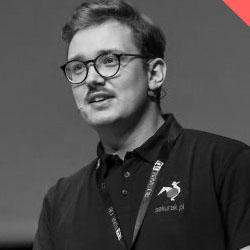
Michał Sajdak

  • The creator of the sekurak.pl portal, the founder of Securitum.
  • Author of security research published on Polish and foreign websites.
  • He conducts training in the area of IT security in Poland and abroad. In the last 10 years, he has trained thousands of people; He has CEH, CISSP and CTT + certificates.
  • Managing editor of the Security of web applications book.
  • Speaker at conferences: Mega SHP (2019), Secure, Confidence, SEMAFOR, WTH, Securitybsides, SEConference, SecCon, OWASP @ Krakow, AIESEC, TestingCup, Security Case Study, KraQA, WrotQA.
  • Nearly 20 years of experience in the IT industry.
Michal Wnekowicz Securitum

Michał Wnękowicz

  • For several years at Securitum, he has been conducting Cyber Awareness training and lectures in many different areas of security.
  • Security consultant and Security Research Manager for https://research.securitum.com - Michał is responsible for correction and artcles posting on the website. He is also the author of articles published on sekurak.pl.
  • He performs security tests at Securitum on a daily basis.
  • Speaker at the MEGA SHP (2019), Sekurak Awareness Party (2019) conferences, he also gave lectures at various universities.
Marek Rzepecki Securitum

Marek Rzepecki

  • For years, he has been passionate about safety. On a daily basis he works as a security consultant / pentester at Securitum.
  • He specializes in hacking web applications, APIs, and mobile applications, and carries out DDoS attacks.
  • After hours, he searches for vulnerabilities under bug bounty programs.
  • OSCP certificate holder.
  • Speaker at security conferences: Mega Sekurak Hacking Party (2019), Confidence (2019).

ABOUT TRAINING

Almost 70% of enterprises have faced an attack against their infrastructure, and with the rapidly advancing digitization, these numbers are growing rapidly. As many as 60% of hacked small and medium-sized businesses go out of business after six months. The global average cost of a data breach is $3.92 million.

In response to the growing demand, we have developed a course for all office workers that provides appropriate training, which translates into improved ICT security awareness and ability to respond to various threats.

The training was developed in such a way, that every person with basic computer skills could look at a given situation or event from the attacker's perspective and thus protect himself and the company from attack.

The training will show the latest examples of attacks on various companies, from small and medium-sized enterprises to corporations and state offices. The following topics will be discussed:

  • good practices related to ensuring online security,
  • proper procedures that should be implemented in everyday work envoirment,
  • safe data storage,
  • correct use of browsers, e-mail clients and office packages,
  • ability to recognize social engineering attacks.

The training is modular, which means, it is customers who choose which modules are the most essential in their organization. The training is available in two formats:

  • a finished movie (hosted on our platform or on your intranet),
  • remote training with coaches (possibility to interact in chat or via audio / video channel).

We also offer the possibility of adjusting the agenda to precisely match the needs of your organization.

Top